Your Mac forgets.
Spud doesn't.
Every window back where you left it. Everything you've copied, not just the last thing. The line you retype twice a day. The screenshot you know you took. All of it one keystroke away.
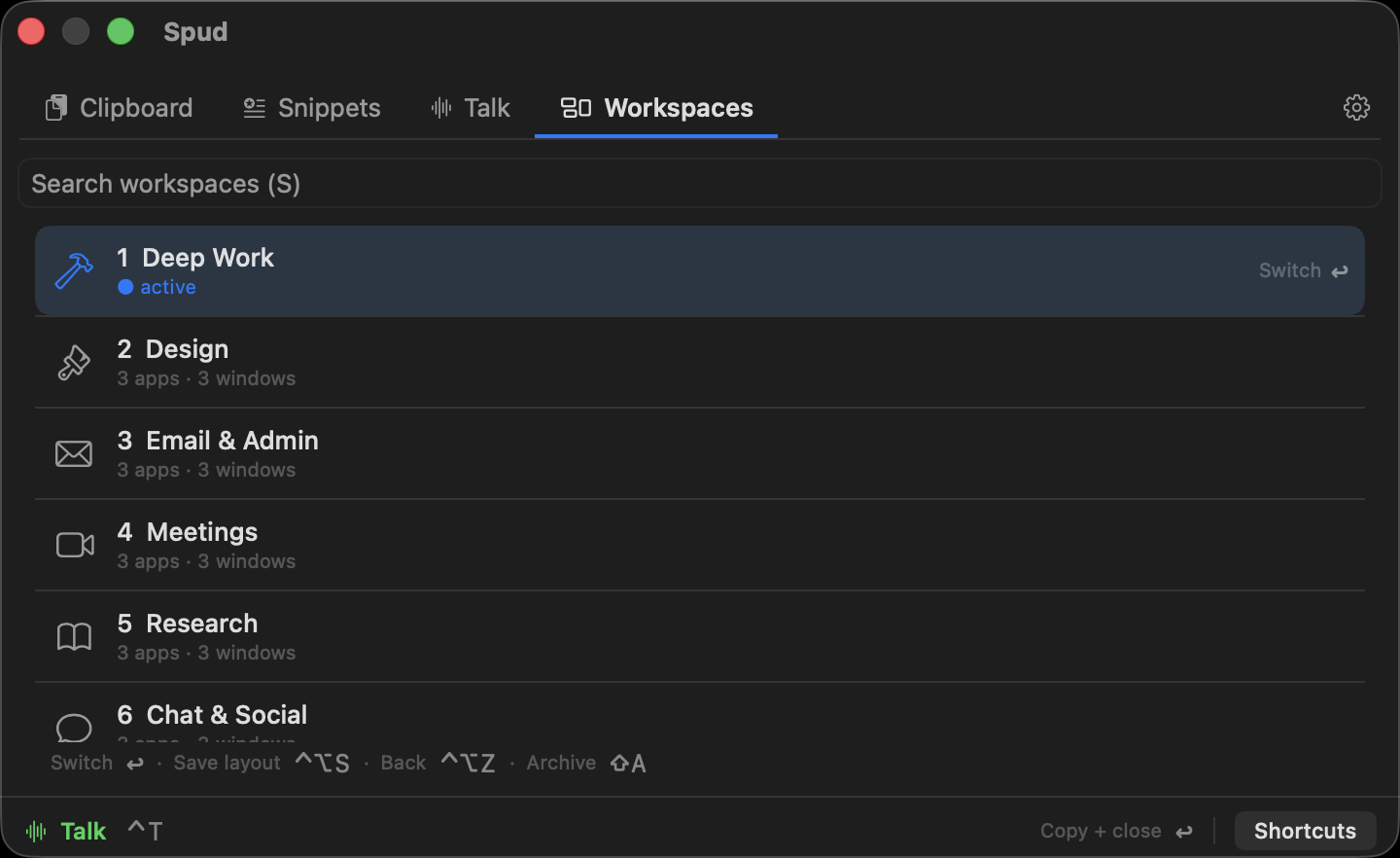
Capture
Snapshot every open app & window in place. Prune what you don't want before saving.
Switch
One click restores a context and hides the apps that belong to your others.
Jump back
Changed your mind? Back to Previous Layout returns your screen to how it was.
Windows land back
exactly where you left them.
Spud records each window's position, size and front-to-back order. Restore relaunches closed apps, reopens the browser tabs you'd closed, and re-places everything — even remapping proportionally onto whatever displays you have plugged in right now.
- ✓ Exact positions, sizes & z-order
- ✓ Reopens closed browser tabs — no duplicates
- ✓ Docked ↔ laptop: layouts re-place proportionally
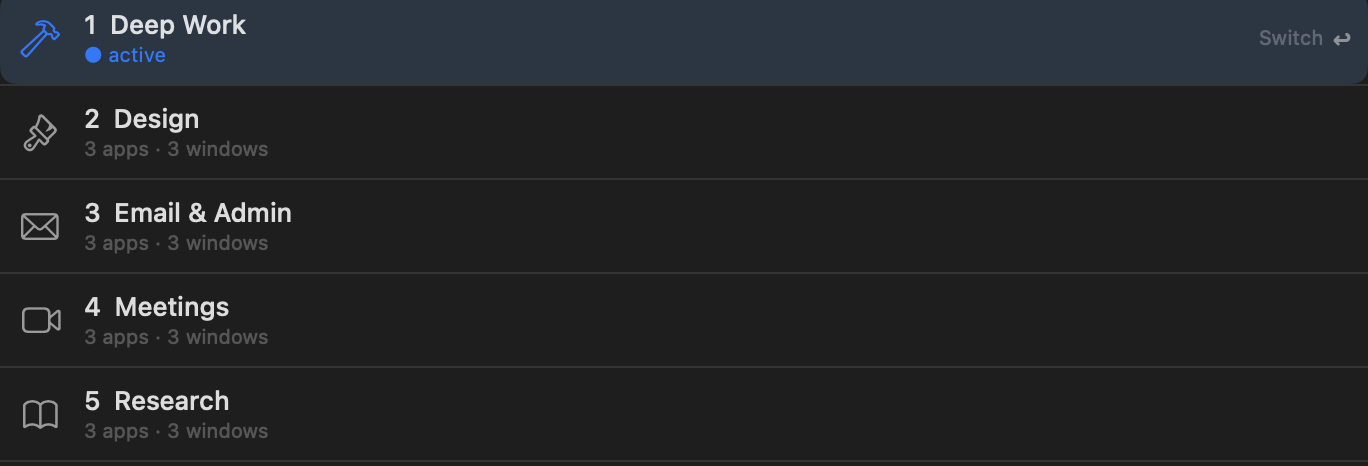
A ⌘-Tab for your
whole work context.
Hit the hotkey and a switcher fans out your workspaces. Arrow keys or number keys move the selection, Return jumps in. The active one is marked — you never lose your place.
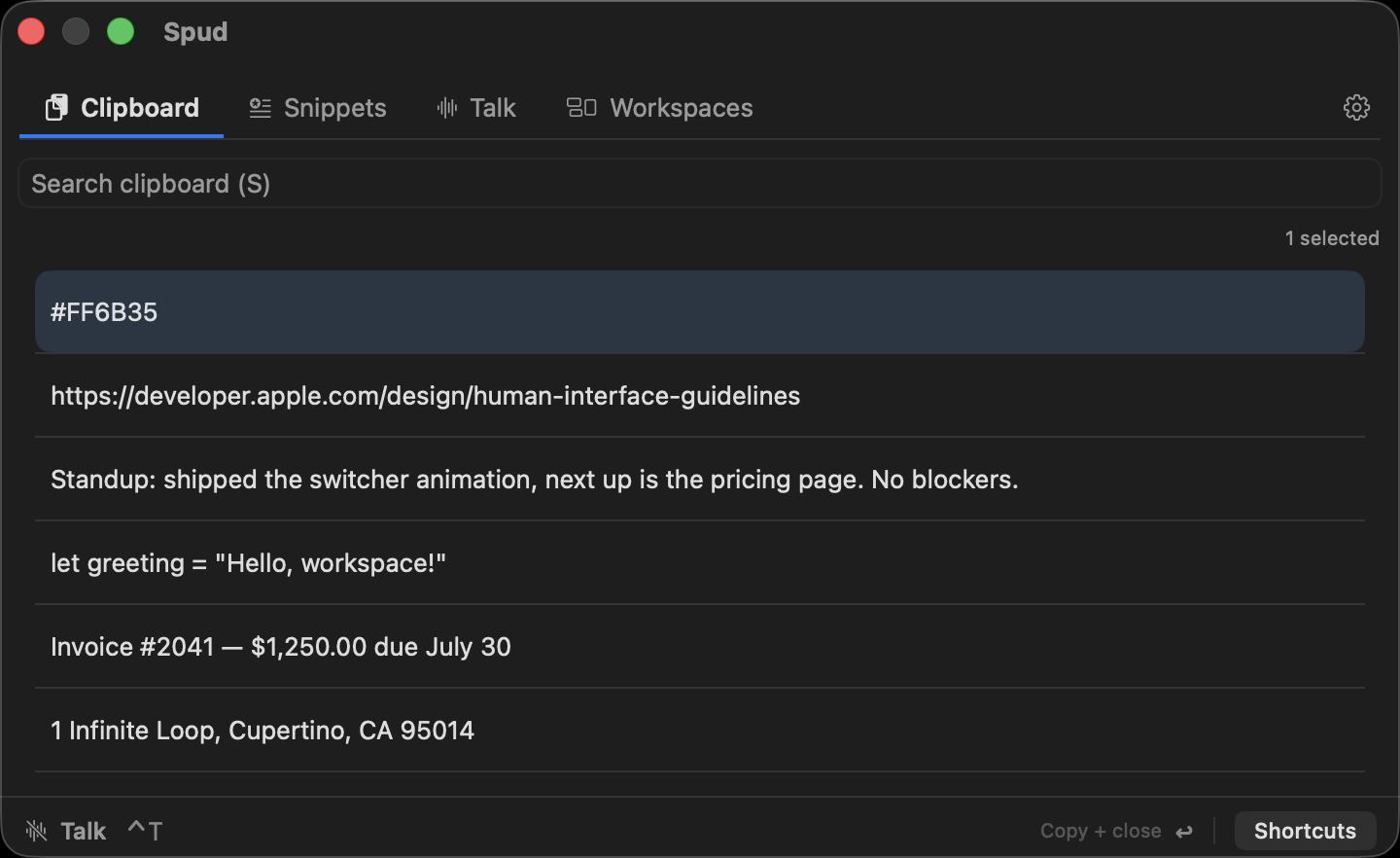
Never lose a copied thought.
Everything you copy is kept and searchable from one shortcut — paste something from an hour ago without breaking flow.
The screenshot you know you took.
Every capture lands in one searchable grid — the files from ⇧⌘5 and the ones you copied straight to the clipboard that macOS never saved. Return copies it, ready to paste; ⌘↩ opens it. Opt-in, and nothing leaves your Mac.
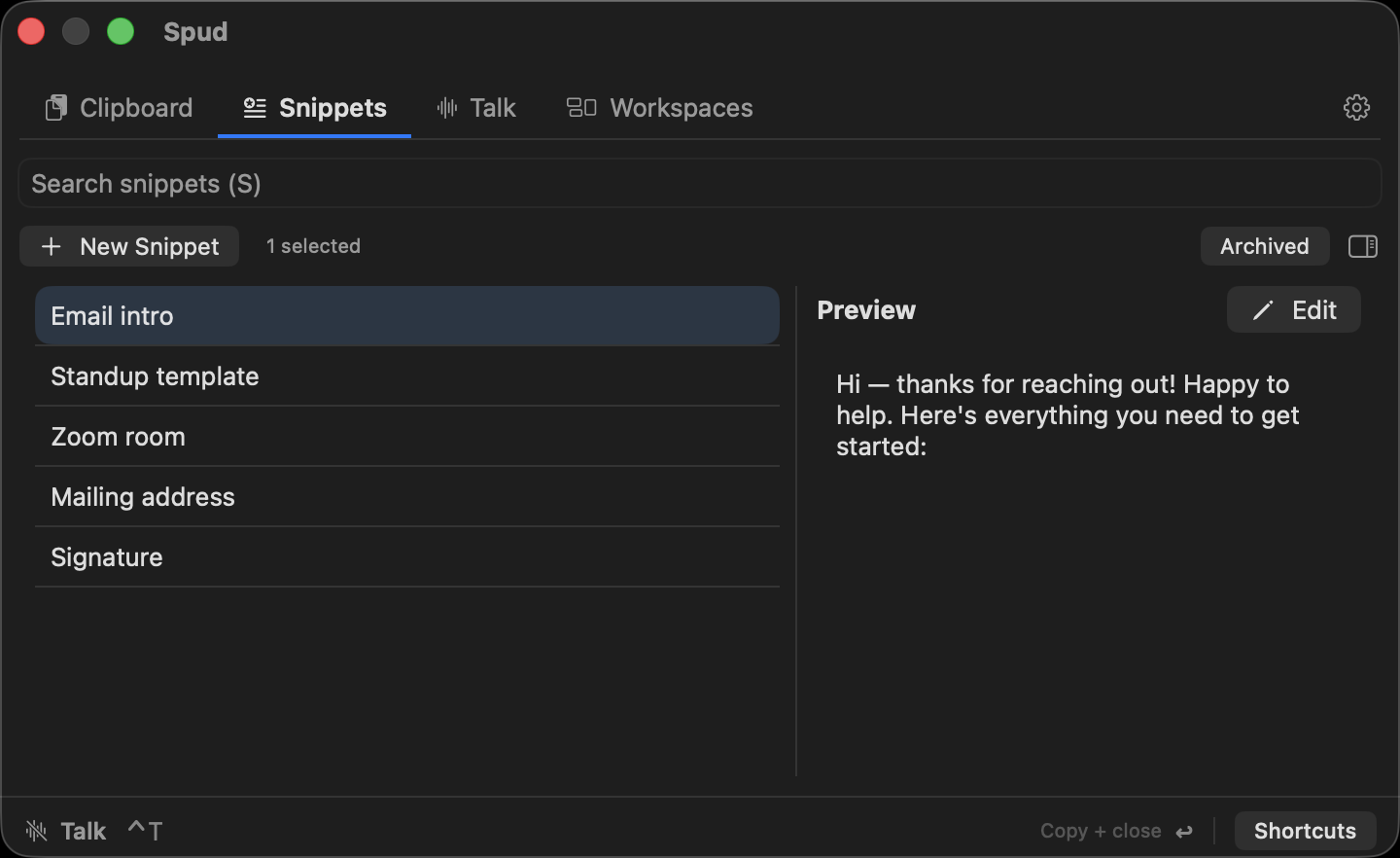
Type it once.
Paste it forever.
Save the things you type every day — email intros, addresses, standup templates — and pull them up with one search. Return copies the one you picked and closes the panel, ready to paste.
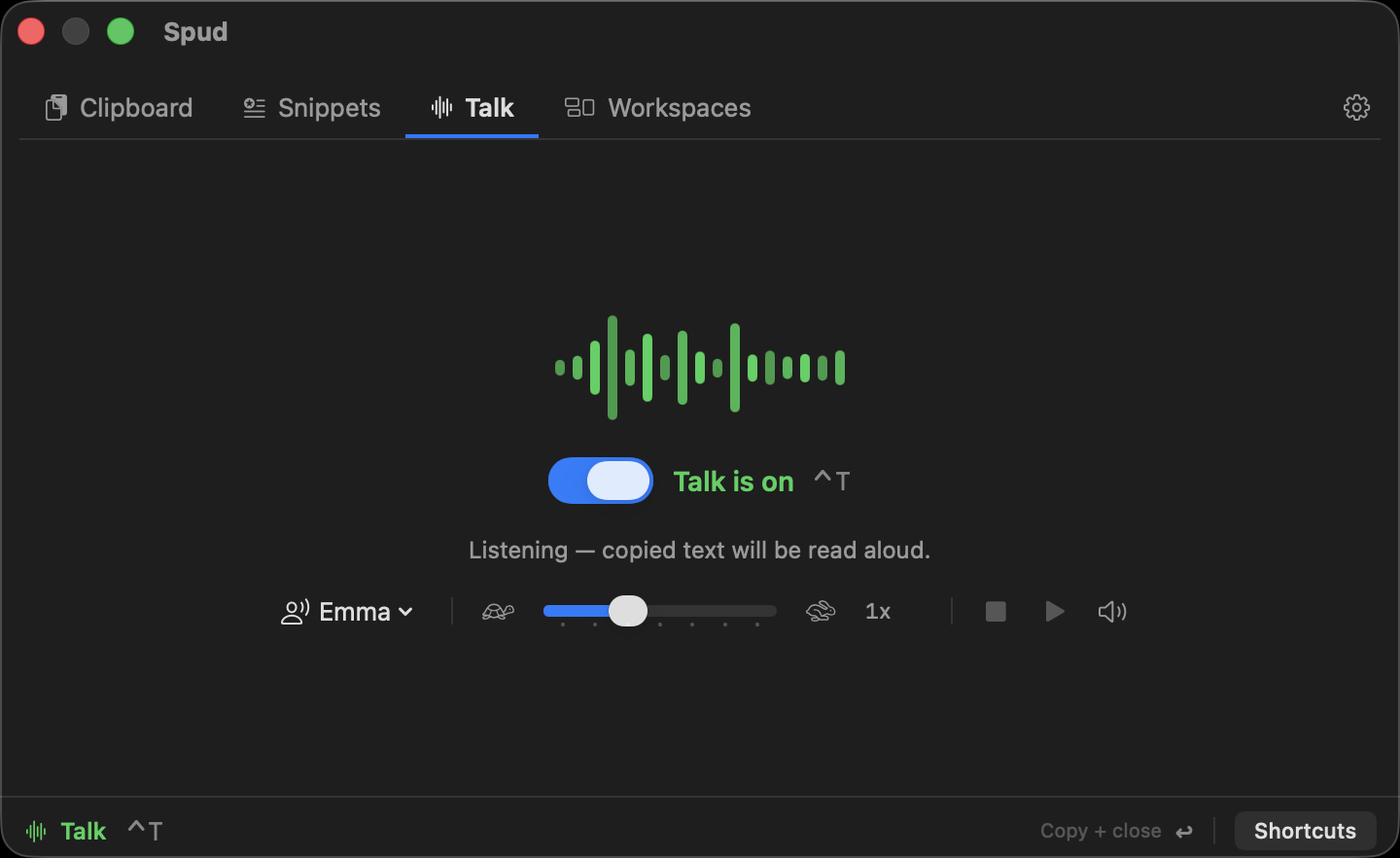
Copy it.
Hear it read aloud.
Flip Talk on and anything you copy is read aloud — proof-listen your own drafts, or follow a long document while you work in another window. Pick the voice, set the speed.
Never touch the mouse.
Try everything free for 10 days.
Nothing you make in the trial is ever taken away.
The essentials, forever.
- ✓ Up to 2 saved workspaces
- ✓ Your last 10 clipboard items
- ✓ 5 saved snippets
- ✓ Screenshots & the switcher
- ✓ Full 10-day Pro trial to start
Every context, unlimited.
- ✓ Unlimited saved workspaces
- ✓ Your full clipboard history
- ✓ Unlimited saved snippets
- ✓ Talk — reads copied text aloud
- ✓ Works on every Mac you sign in to
Upgrades happen inside the app — download first, go Pro whenever you're ready.
Get your desktop under control.
Download Spud and save your first workspace in under a minute.
Download for MacNo Dock icon — that's normal.
Spud is a menu-bar app. After install there's no Dock icon — look for the ▦ icon in the menu bar at the top of your screen.
macOS will ask for Accessibility.
On first launch, macOS asks for Accessibility permission. Spud needs it to read and move other apps' windows — that's the entire product; it doesn't work without it.